
Tour
Every screenshot on this page is captured automatically from a freshly seeded Mash instance on each release, so what you see here is what the current version actually looks like.
Every admin list — batches, recipes, ingredients, the comment queue, requests, subscribers,
harvests — searches and paginates the same way: a ?q= box, filters, 25 rows a page with a numbered
pager, all of it as plain URL state (?q=&page=2), so a search is a link you can bookmark or
send someone.
The batch list
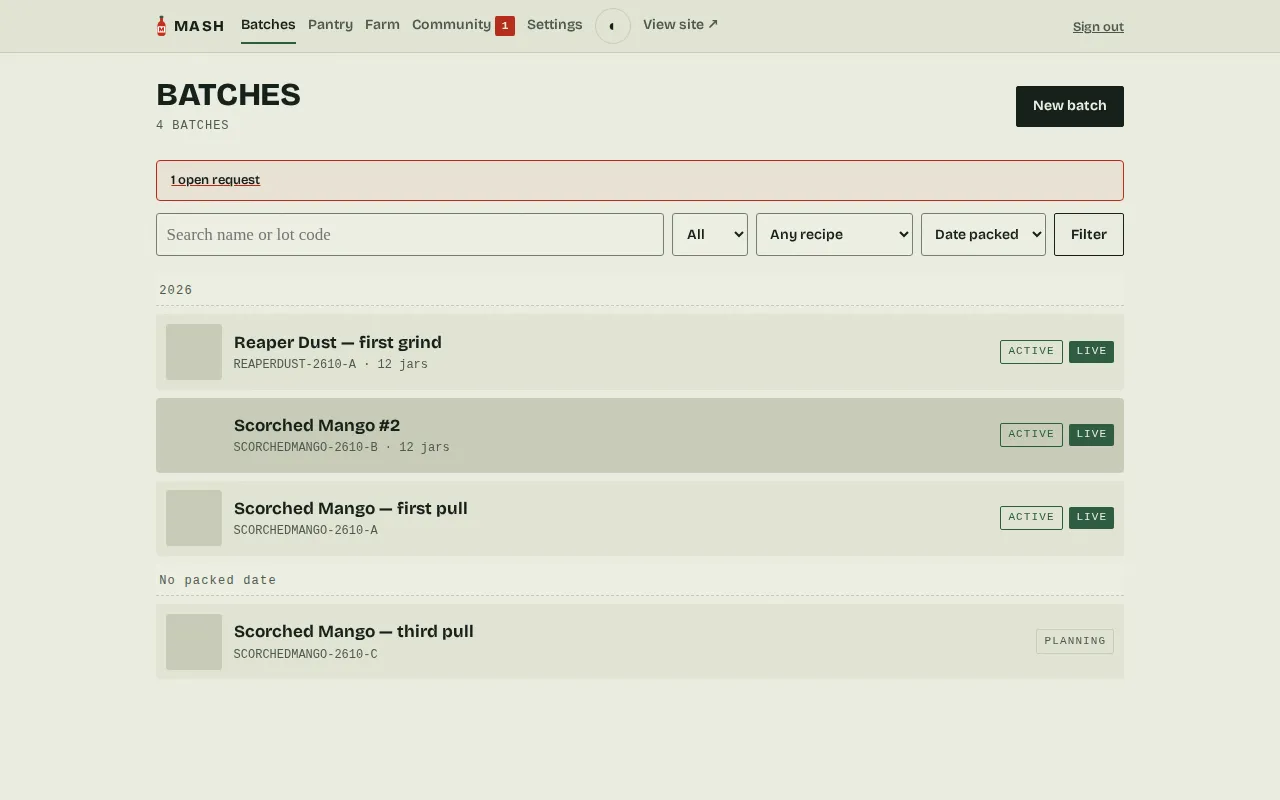
Section titled “The batch list”The batch list adds a few years-of-batches conveniences on top. A sort select — newest
(the default), oldest, bottled date, or name — and, under any date sort, sticky year
headers that group the seasons; click a header to filter the list to that year (it shows in
the filter bar as a small removable chip). Search is typo-tolerant, the same way the
ingredient autocomplete is: hebanero still finds the Habanero batch, and lot codes match
too; search results come back in relevance order rather than the selected sort. And with a
year filter active, the list offers to archive all of that year’s gone batches in one
click — see Deleting and archiving.
Above the list, an attention strip appears only when something needs a human: mail stuck in the outbox, comments waiting on moderation, or an open bottle request. Each item links to the page that clears it, and the strip disappears once nothing is waiting.
The shelf
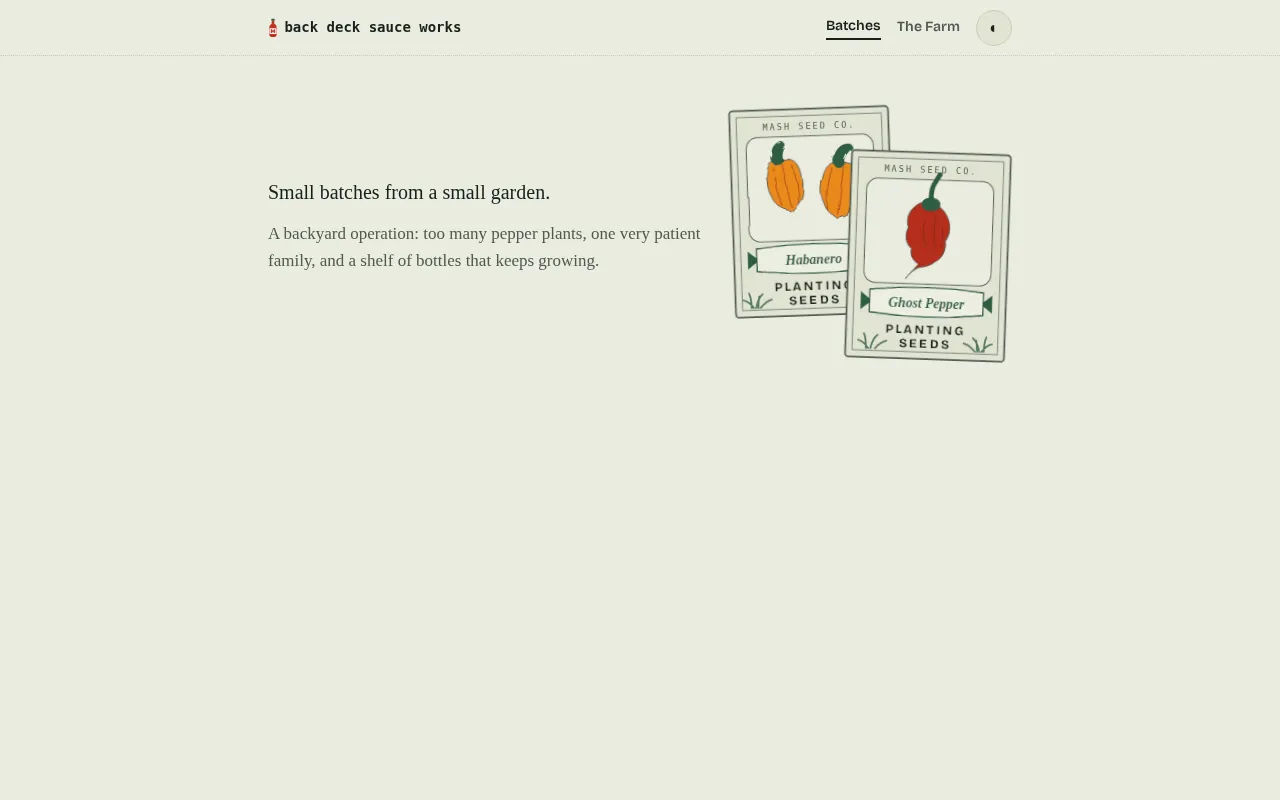
Section titled “The shelf”The public index at /. Everything you’ve published, nothing you haven’t — with a pair of
drawn seed packets up top, and a drawing in the site’s own ink standing in for any batch
that doesn’t have a photo yet.
The bottle page
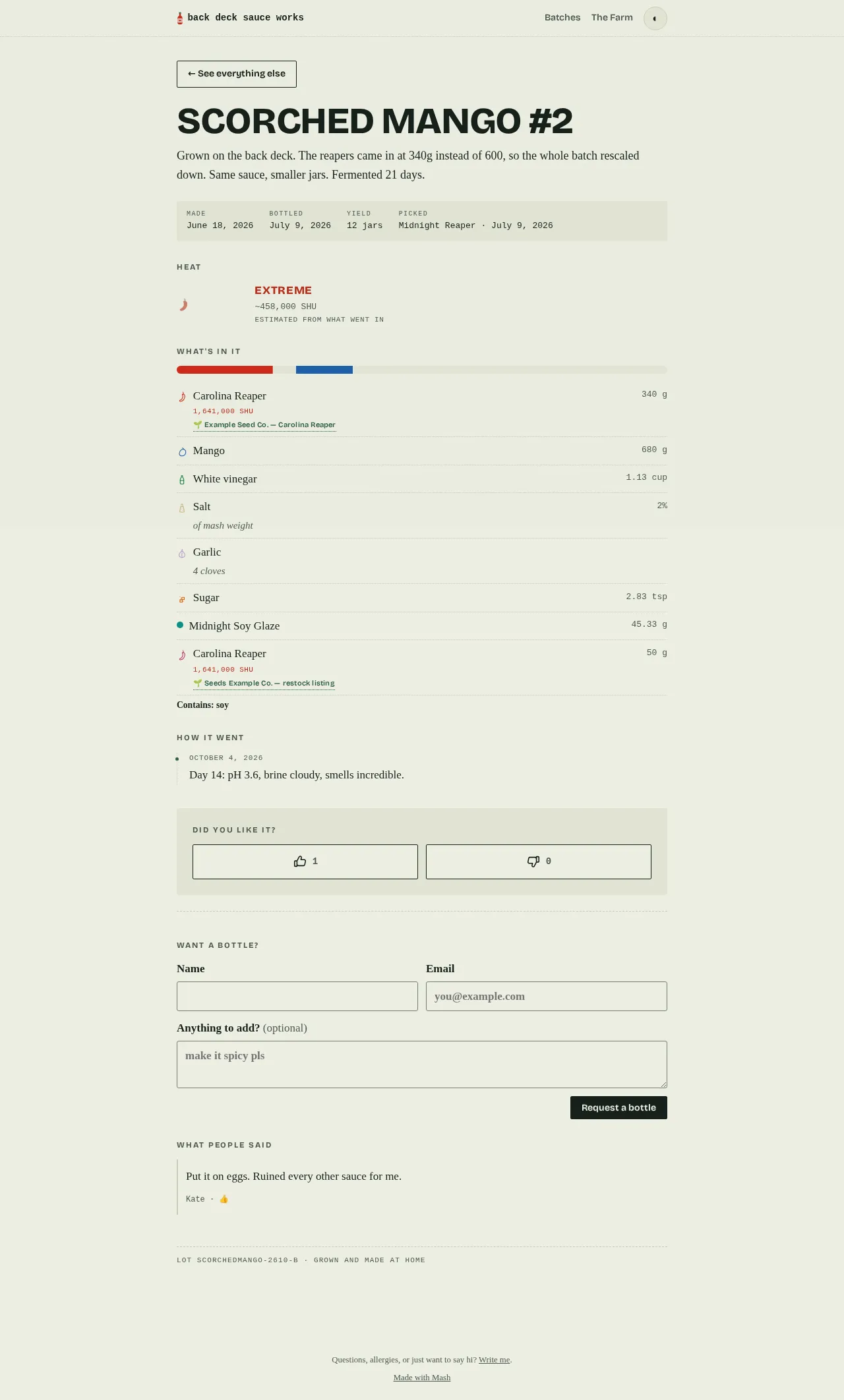
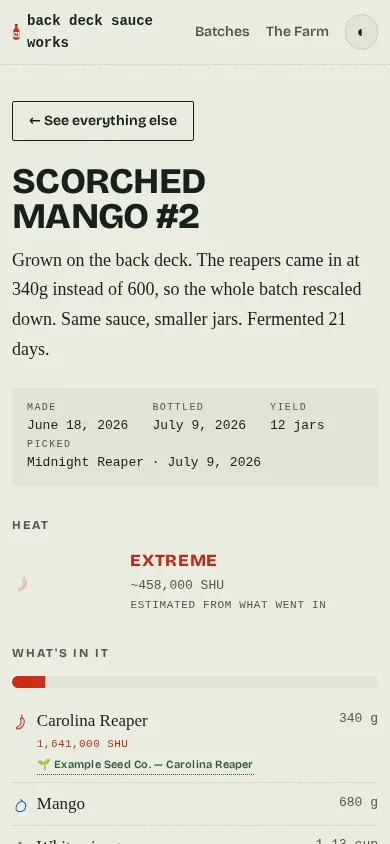
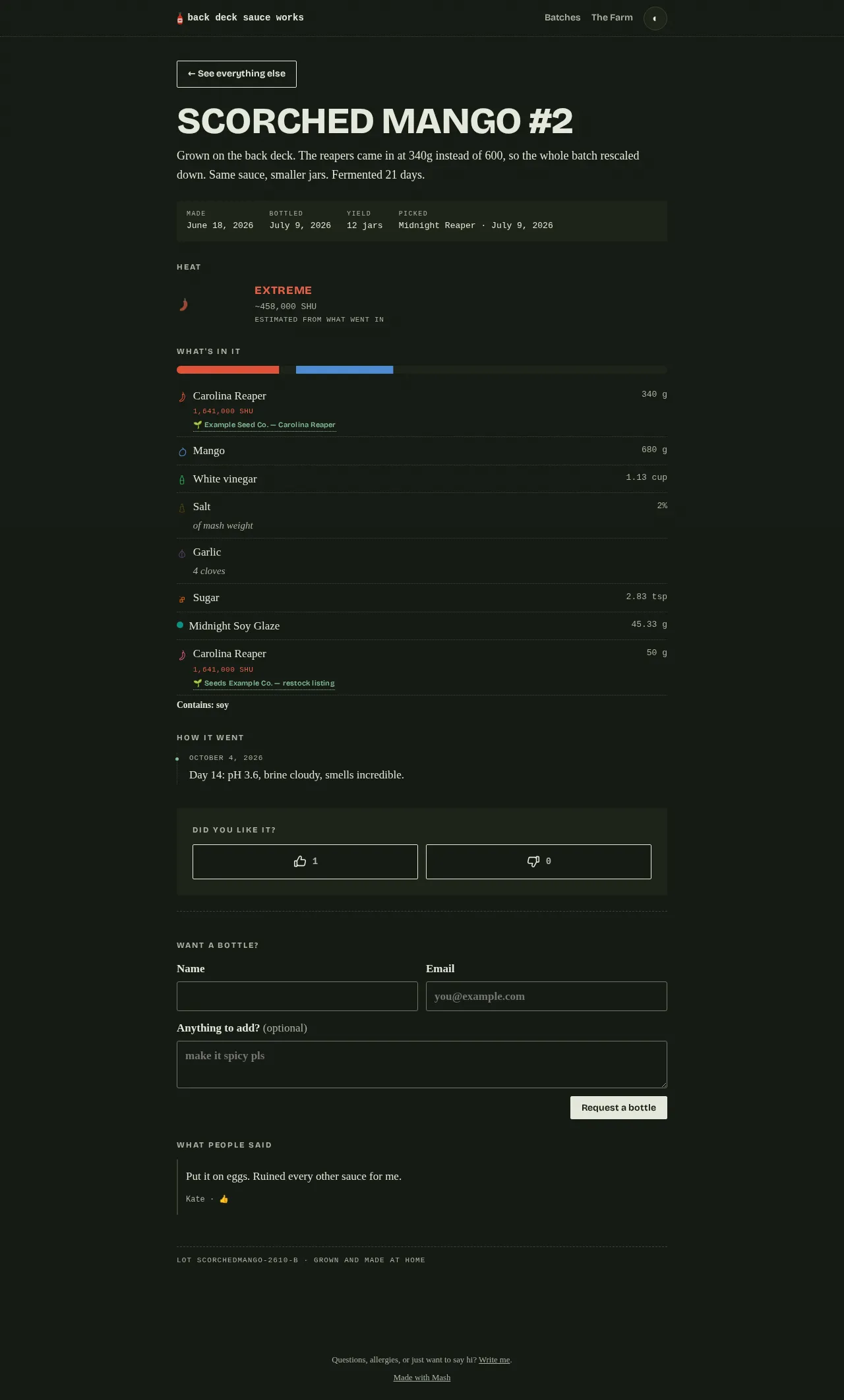
Section titled “The bottle page”This is what someone sees when they scan a bottle: the story, the dates, the heat estimate computed from what actually went in, the composition by weight, and a thumbs up or down. Vinegar converts from cups to grams and counts toward the bar; “4 cloves” of garlic is named beneath it instead of being silently dropped. This batch also shows a Picked line — its linked harvest, opted into public view — because harvest provenance is off by default and shown per batch, date only, never the weight. Comments appear only after you approve them. A Want a bottle? form sits below the vote buttons — name, email, an optional note — for a visitor who’d rather ask for one than wait for the next batch.
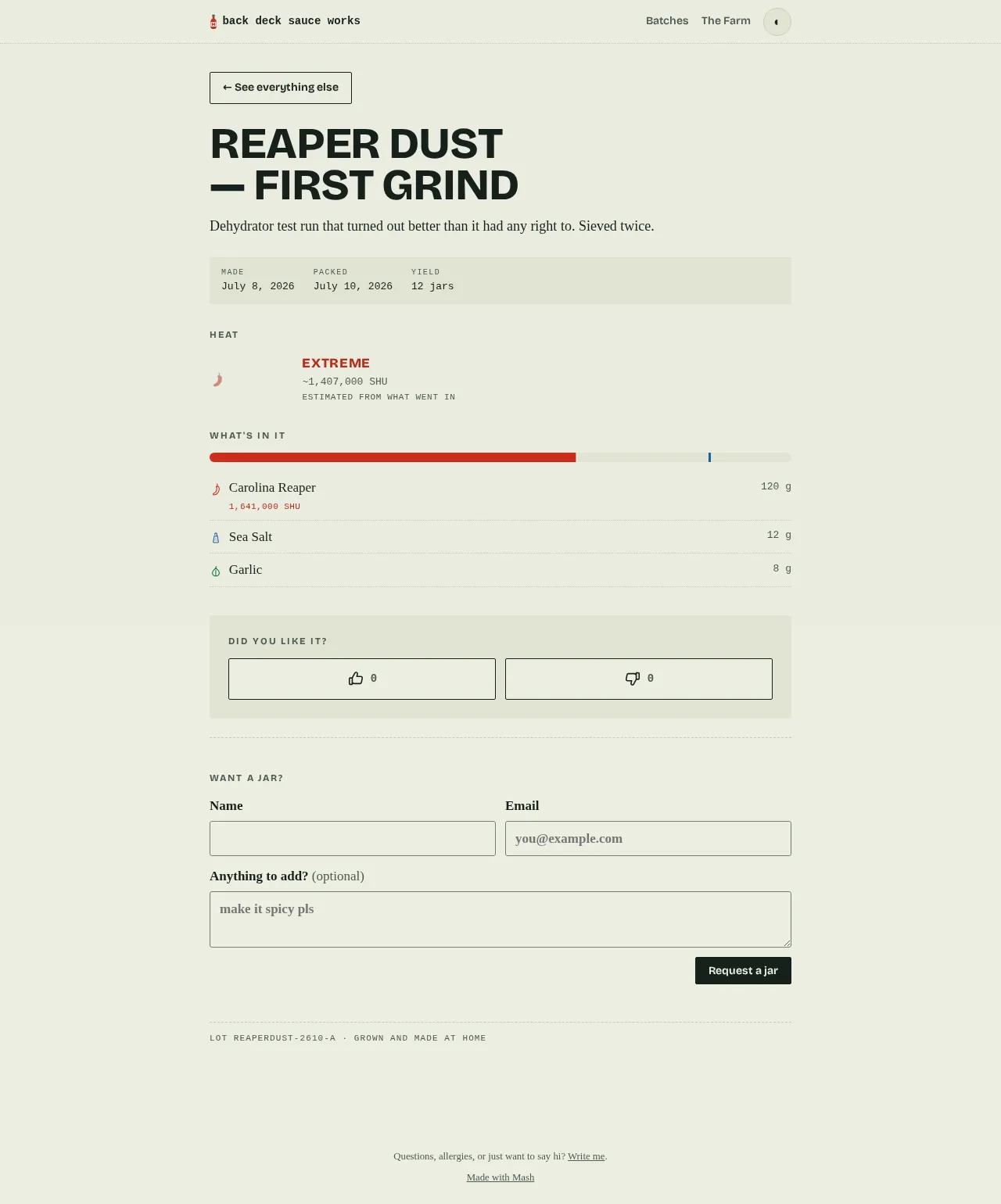
A dust batch: same page, different container.
Most people arrive here from a QR scan, so it’s built for a phone:
Mash follows your device’s light/dark preference by default, and every page — admin and bottle pages alike — has a small toggle to force light or dark for that browser:
The batch, in the admin
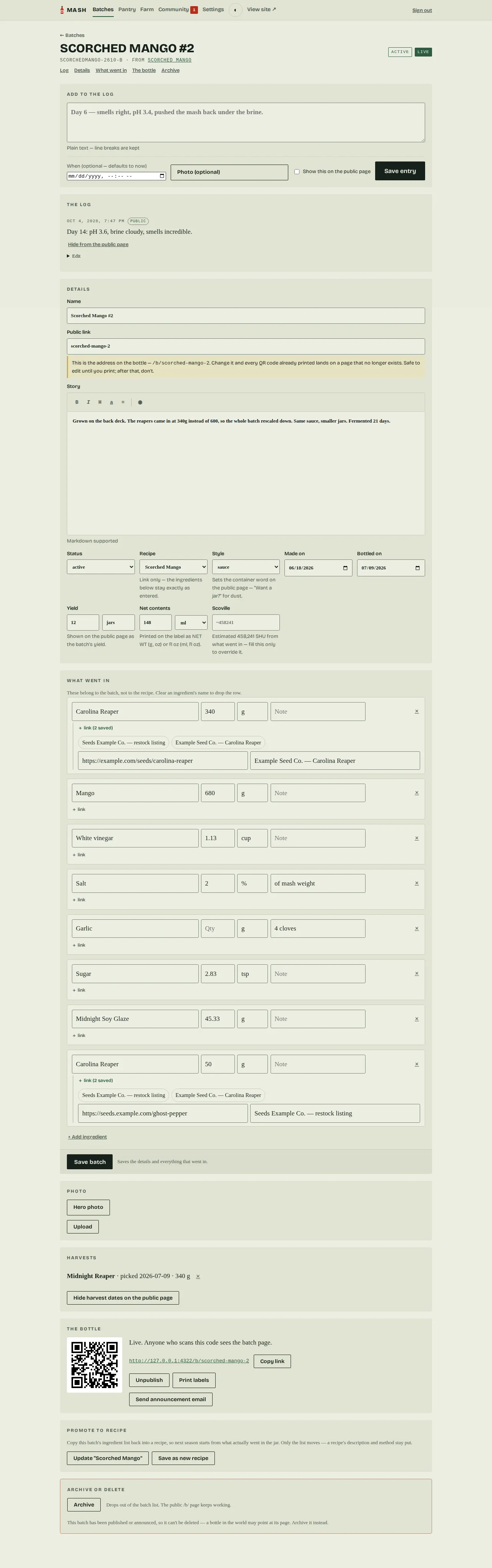
Section titled “The batch, in the admin”The batch copied its ingredients from the recipe and rescaled them when you told it you
harvested 340g of reapers instead of 600. Note the mango at 680g, and salt still at 2%,
because a ratio isn’t an amount. Quantities accept fractions the way you’d actually write
them — 1/2, 1 1/2 — and render back as a single glyph (1½ cup) anywhere a visitor sees
them. Below the details, a running journal of notes and photos: type a line and it stamps the
current time, or set a when to backdate an entry you forgot to log. Every entry can be
edited (fix a typo, swap or drop a blurry photo, correct the time) or deleted — a diary needs
an eraser. If a photo ever fails to attach, the note is still saved and you’re told, rather
than the picture vanishing in silence. Beside the log, a Yield field (a container count and
its unit, shown publicly on the bottle page), and a Harvests card linking this batch to
what was actually picked for it. The batch’s story field (and a recipe’s method field)
get a small self-hosted markdown editor — bold, italic, headings, links, lists, and a preview
toggle — with no external CDN and a plain-textarea fallback if JavaScript is off.
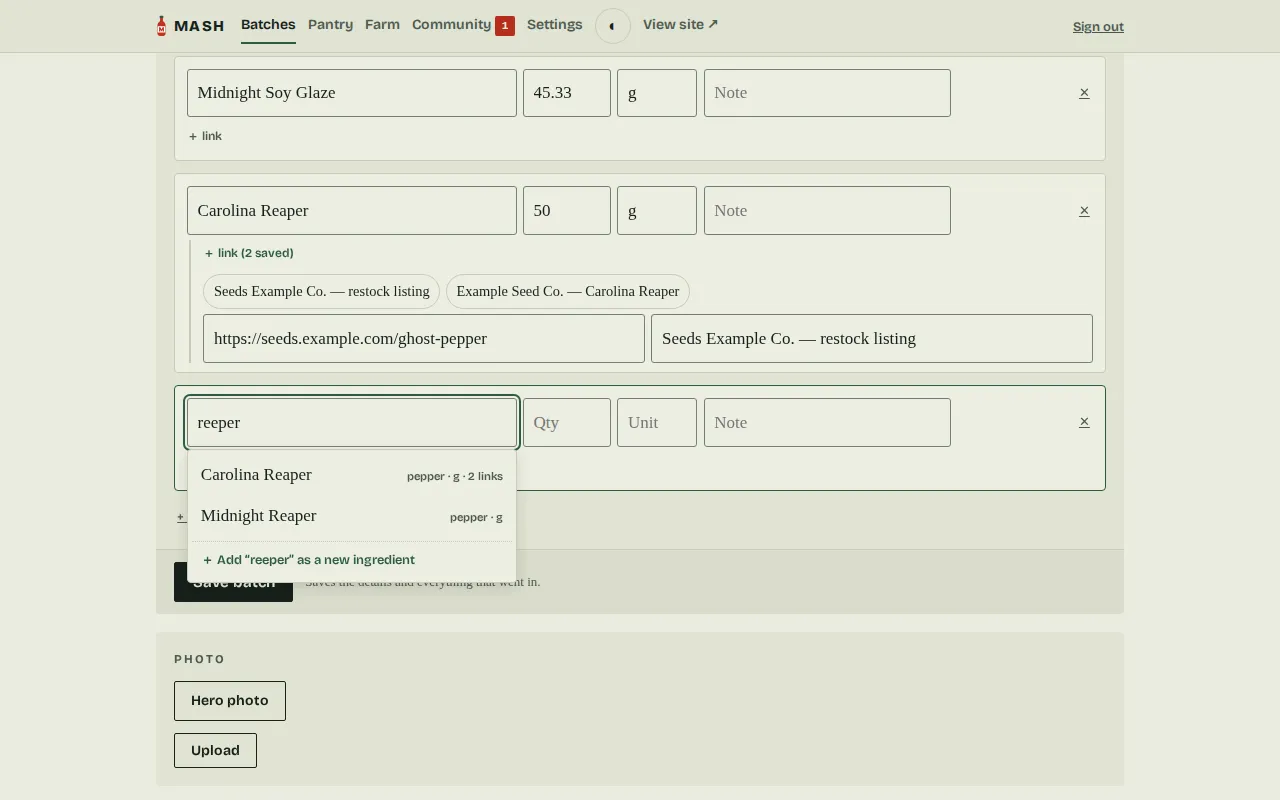
Typing in an ingredient row searches the pantry as you go — typo-tolerant, showing each match’s kind, usual unit, and saved links, with an explicit + Add row for anything genuinely new. Picking a match pre-fills the rest of the row.
Below the pantry, the dropdown also searches mash’s built-in pepper catalog: cultivars you haven’t stocked yet appear tagged catalog with their typical Scoville rating, and picking one creates the ingredient already knowing its heat.
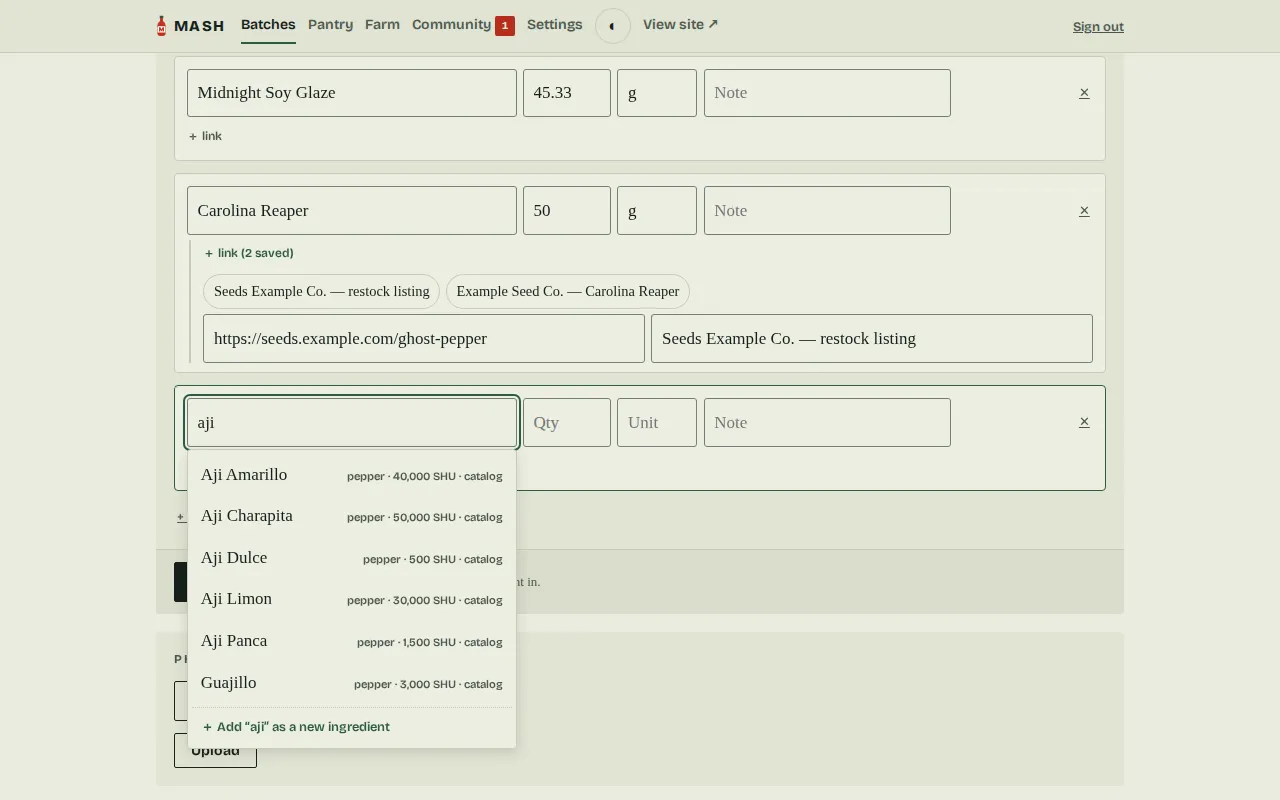
The whole admin — not just the public pages — works from a phone: ingredient rows stack into single-column, thumb-sized fields instead of squeezing a desktop grid, and a burger menu replaces the top nav.

The harvest log
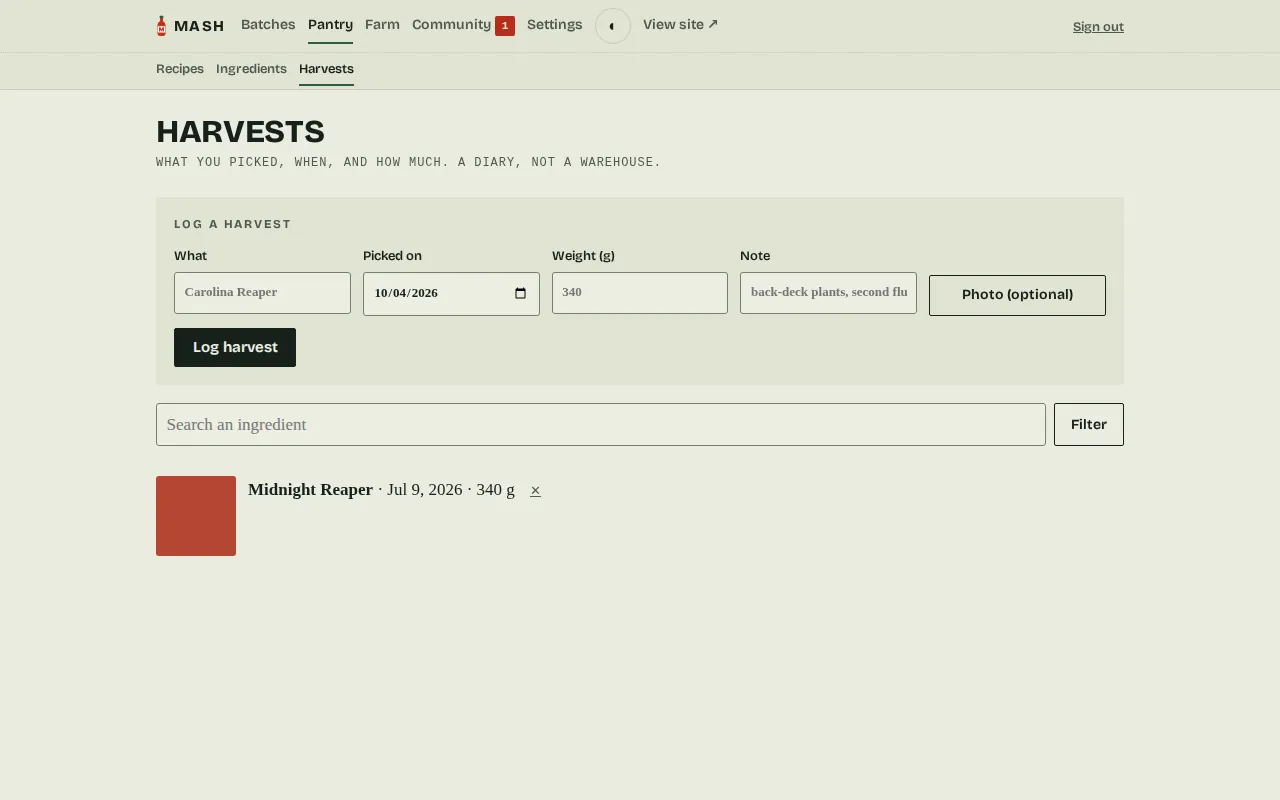
Section titled “The harvest log”A diary of what was picked, independent of any batch — log one from Admin → Harvests, then link it to a batch. The link is informational only; it never touches amounts or scaling.
The Farm
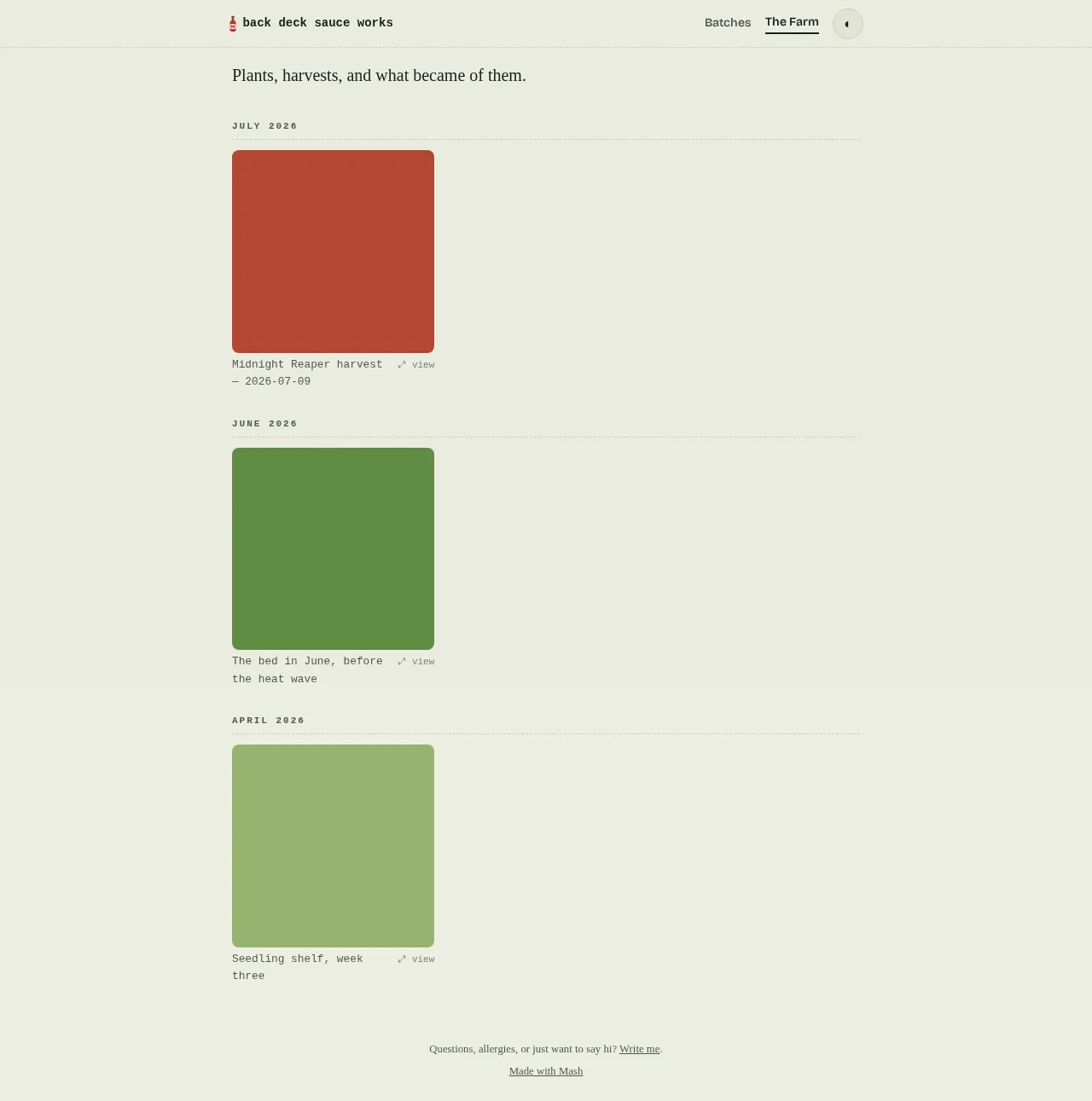
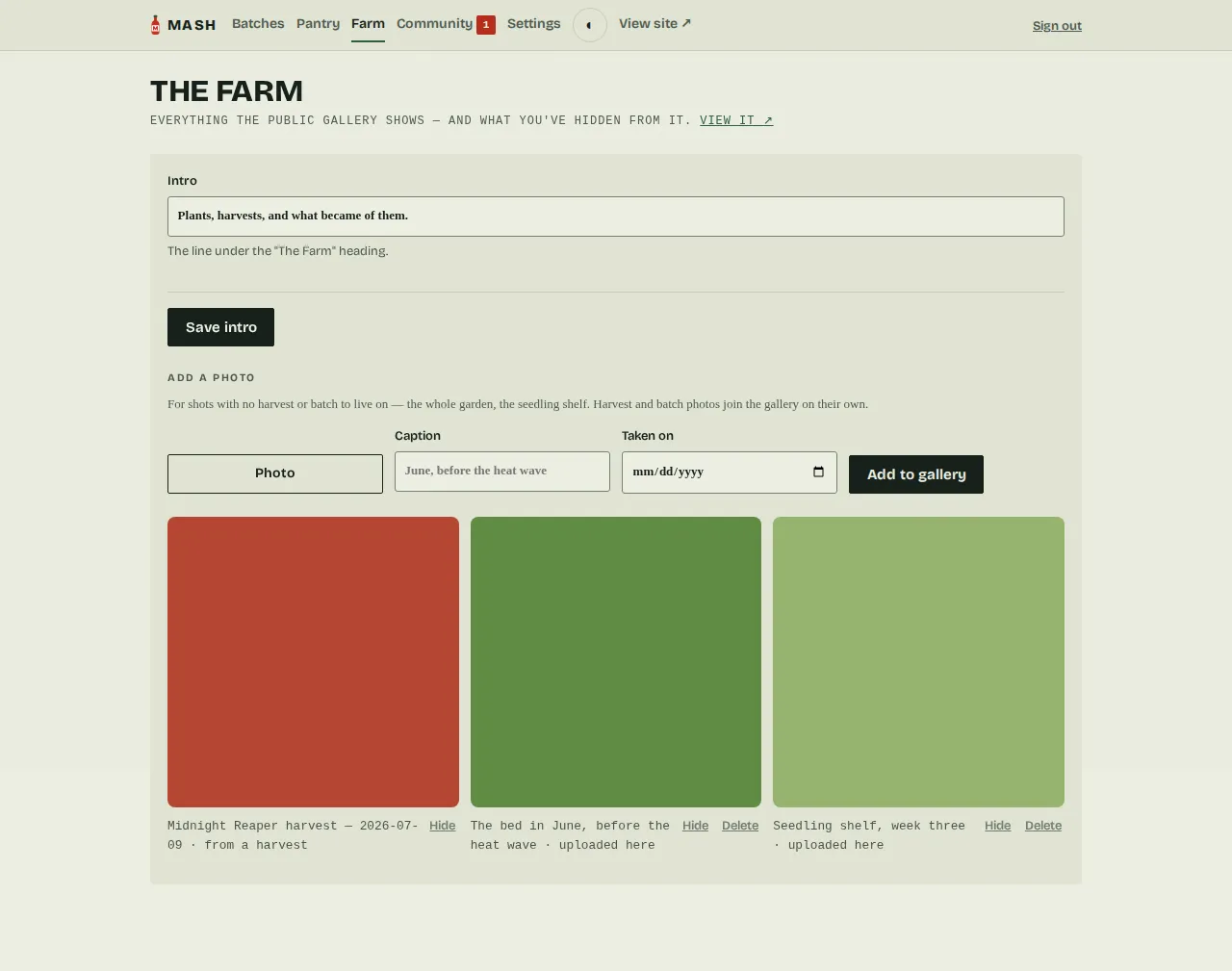
Section titled “The Farm”An optional public photo wall at /farm — harvest photos and published-batch photos join
it on their own, and garden shots with no batch to live on are uploaded from the Farm
page in the admin, where every photo also has a Hide button. Captions come from the data (the
ingredient, the date, the batch), never from your private notes. Each tile carries a small
cue for what it does — “→ bottle” for a photo sourced from a batch, “⤢ view” for one
you uploaded directly. Off by default; one checkbox in Settings turns it on, and the intro
line under the heading is yours to write, right there on the Farm page.
The recipe it came from
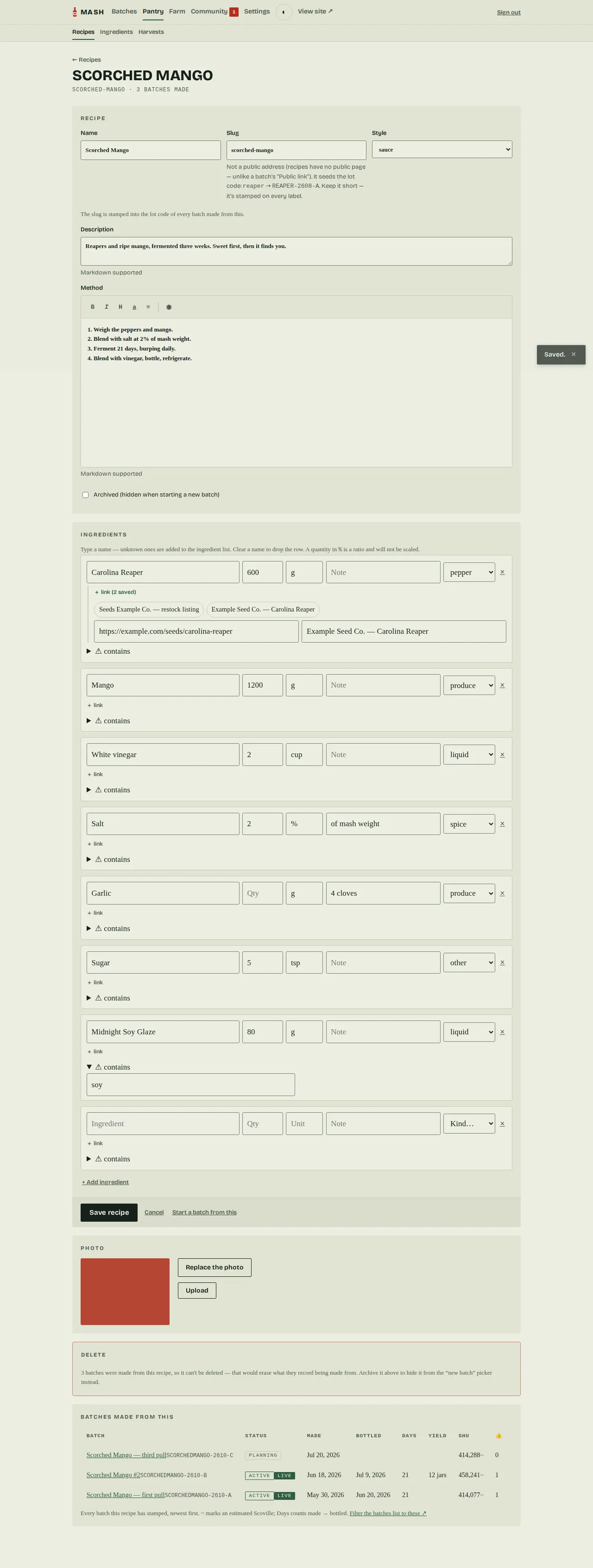
Section titled “The recipe it came from”The template. Editing it never touches what’s printed on existing bottles. Like a batch, a recipe can carry a photo — the finished thing at its best, so next season you remember which of the three reaper experiments this one was.
Saved links
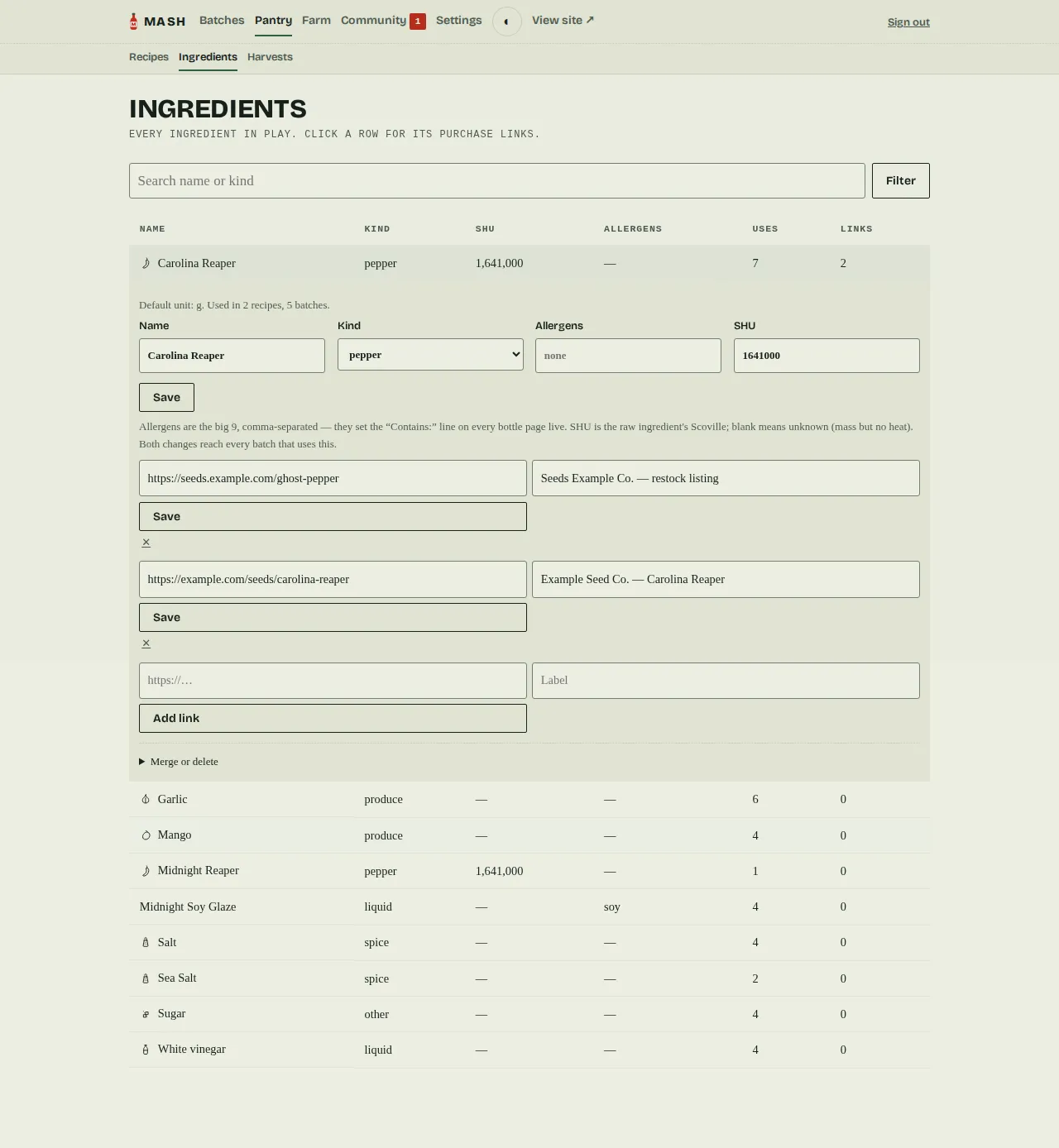
Section titled “Saved links”Type a source URL into a recipe or batch row and Mash remembers it against that ingredient. Type the same ingredient again and its + link disclosure shows how many are saved and offers them as chips — click one to fill the URL and label instead of hunting down the listing again. Admin → Ingredients is where they all live: one row per ingredient — icon, kind, Scoville rating, allergen flags, how many recipes/batches use it, and how many links are saved. Click a row and it expands in place to edit the ingredient itself — rename it, fix its kind, correct its allergen flags, or set its Scoville — alongside its editable link forms and an “add a link” form. Because every recipe and batch references an ingredient by identity, a fix here reaches all of them at once; correcting an allergen updates the “Contains:” line on every bottle page live, this year’s and last year’s.
Two structural fixes live behind a Merge or delete disclosure on each row. A misspelling that split one ingredient into two — Cayene and Cayenne — is healed by merging: pick the stray from the dropdown and every recipe, batch, harvest, and link it owns moves onto the one you keep, then the duplicate is deleted. An ingredient that nothing uses can simply be deleted; one that’s still referenced can’t be (merge it instead), so history is never quietly orphaned.
Labels
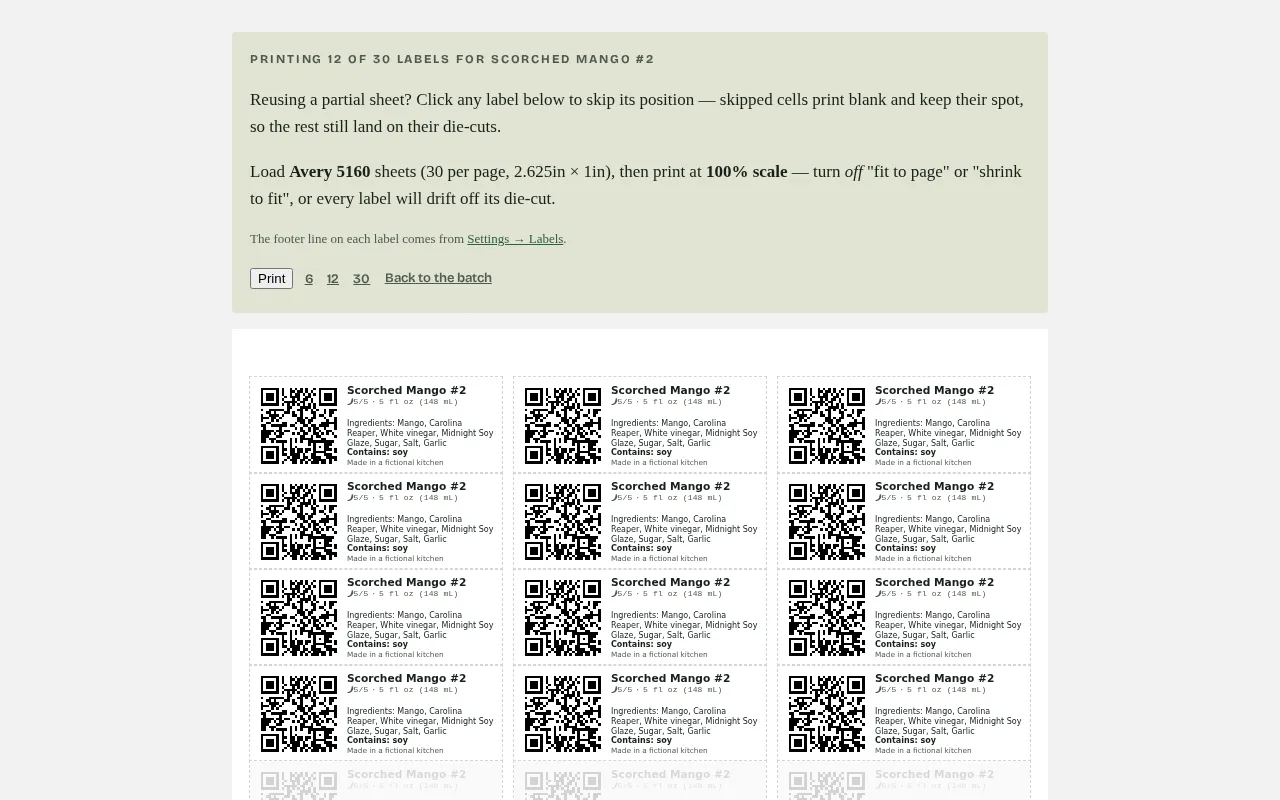
Section titled “Labels”A sheet of thirty stickers, laid out for Avery 5160 die-cut labels, printed from the browser at 100% scale. Click any label to skip it and reuse a partially-used sheet.
Settings and backups
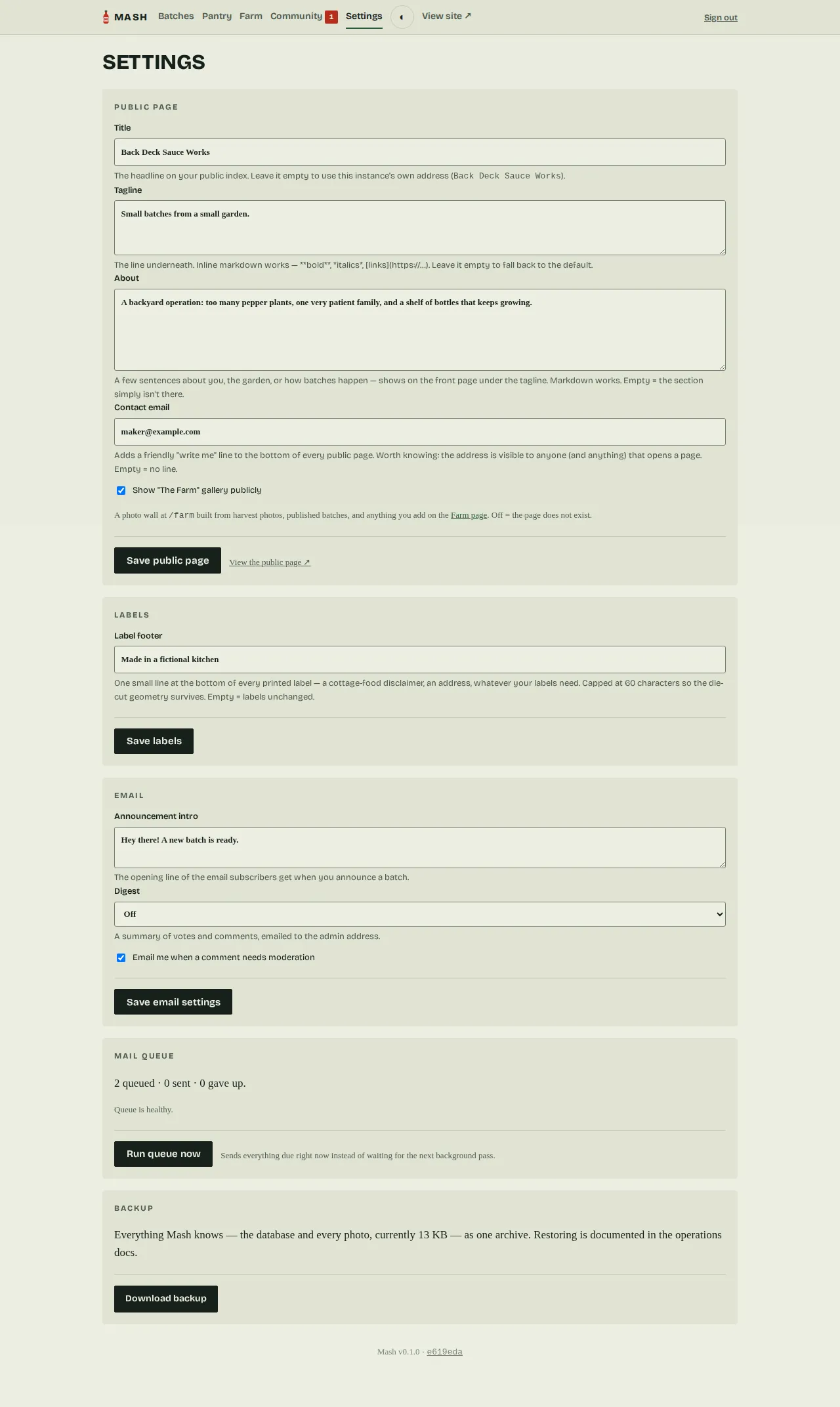
Section titled “Settings and backups”Public page copy, optional email digests, and one button that downloads everything Mash
knows — the database and every photo — as a single archive. Set BACKUP_TOKEN and a cron
job can pull the same archive on a schedule; see Operations.
Bottle requests
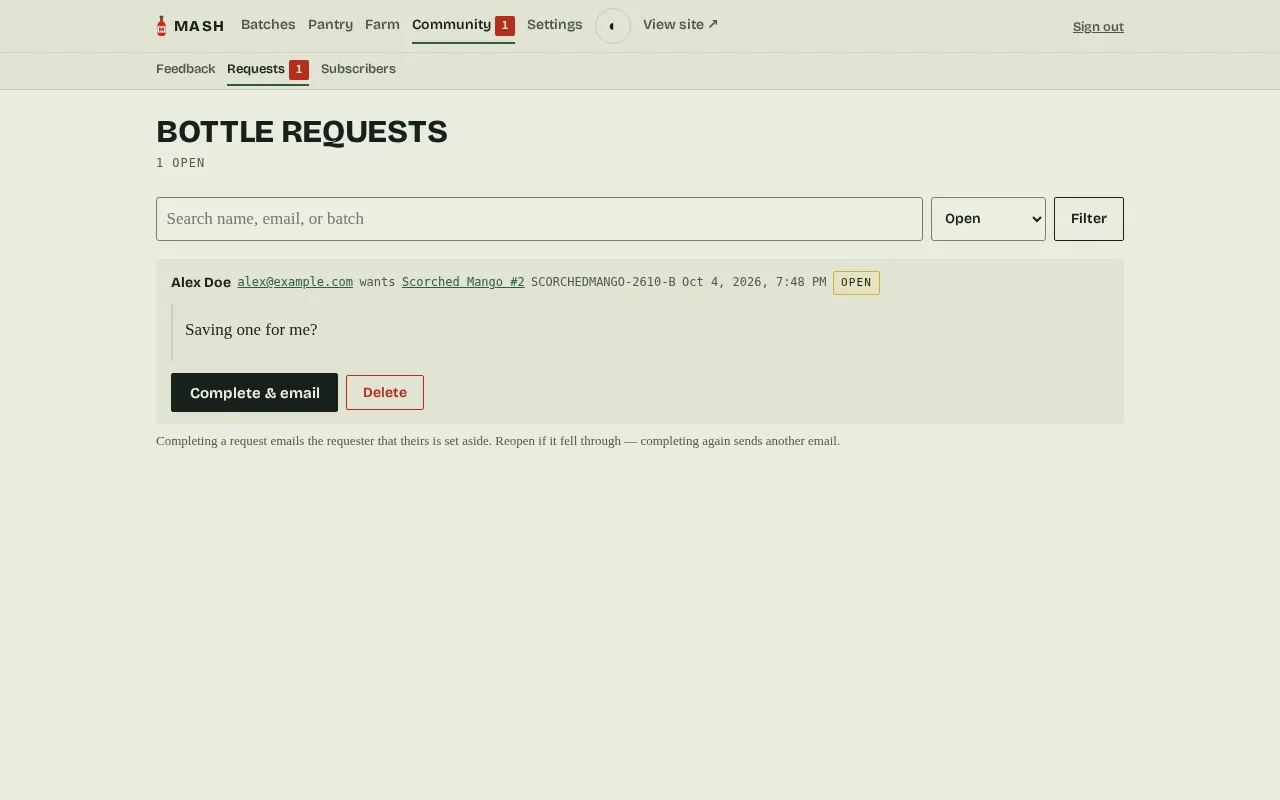
Section titled “Bottle requests”Someone who fills out the Want a bottle? form on a bottle page lands here — Admin → Community → Requests — newest first, with an open-count badge on the Community nav so a new ask doesn’t get lost. Complete marks it done and, with mail configured, emails the requester that a bottle’s set aside; without mail it’s still a plain checklist of who to hand a jar to. Asking again while a request is still open is deduped silently.
Subscribers, on a phone
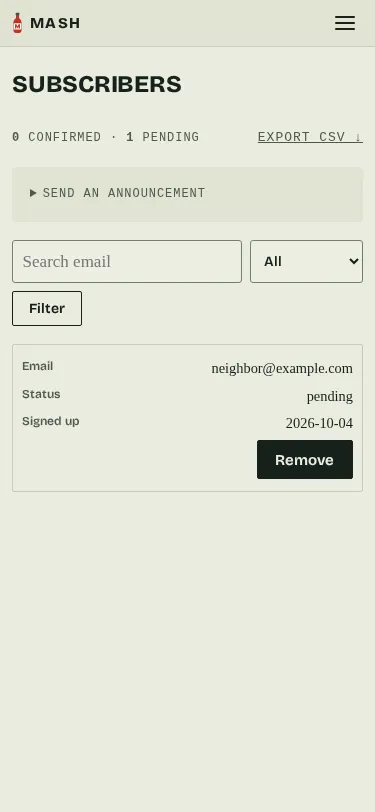
Section titled “Subscribers, on a phone”The subscribers list (Admin → Subscribers) is a table on a desktop screen and a stack of cards on a phone — the same data, laid out for whatever you’re holding. With mail configured, the same page also gets a Send an announcement panel — a subject and a markdown body, queued to every confirmed subscriber — for anything that isn’t tied to one batch.
Ready to make something? Get started.